Monterey Web Design: What Makes a Good Local Business Website?
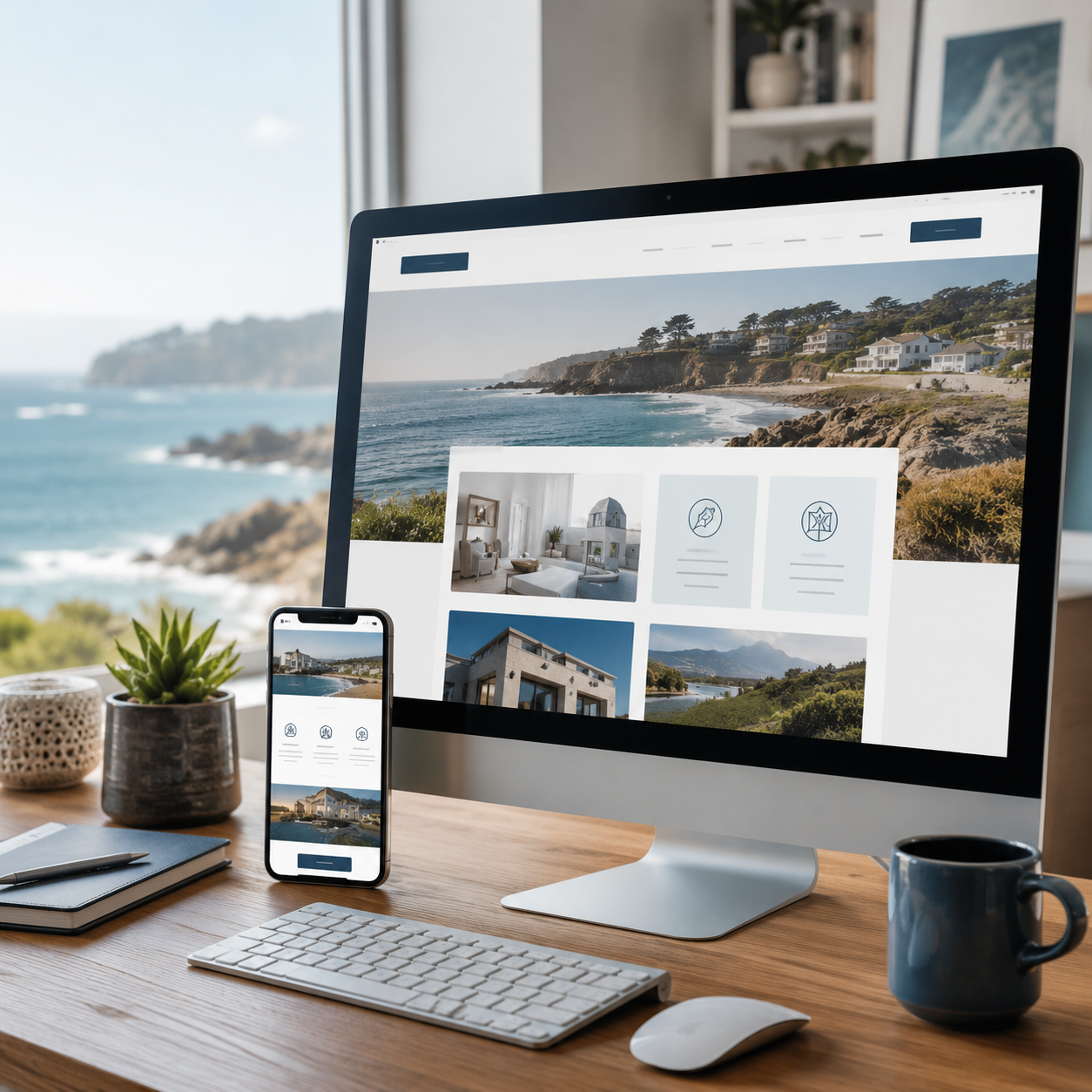
A good website should do more than look nice. For a local business in Monterey, your website should help people understand what you do, trust your business, and take the next step — whether that’s calling, booking an appointment, requesting a quote, or finding your location.
Many business owners know their website matters, but they’re not always sure what actually makes a website good. Is it the colors? The photos? The layout? The mobile version? The SEO? The answer is all of those things working together — and each one affects whether a visitor stays and contacts you or leaves and calls a competitor.
This guide breaks down what makes a strong Monterey business website, why web design choices affect your leads and trust, and how to evaluate whether your current site is doing its job.
A Good Website Starts With a Clear Purpose
Before thinking about colors, images, or layouts, your website needs a clear purpose. For most local businesses, that purpose is simple: help potential customers feel confident enough to contact you.
That doesn’t mean every page should sound like a sales pitch. It means your website should guide visitors toward the next logical step. A good Monterey business website makes it easy for someone to understand:
• What services you offer
• Where you provide those services
• Why they should trust you over a competitor
• How to contact you
• What happens after they reach out
Good web design in Monterey starts by knowing what action matters most for your specific business — and then building the site around that goal.
Your Homepage Should Answer the Big Questions Immediately
When someone lands on your homepage, they shouldn’t have to work to figure out what you do. Most visitors decide within a few seconds whether they’re in the right place. If that answer isn’t obvious, they leave.
A strong Monterey business website homepage answers five questions quickly:
• Who are you?
• What do you offer?
• Where do you serve customers?
• Why should someone choose you?
• How can they contact you?
This is especially important for service-based businesses. A contractor, roofer, attorney, or landscaper competing for local customers needs to make their value clear immediately. Your homepage should not be confusing, cluttered, or vague.
Example: A Monterey contractor’s homepage that says “Your trusted home improvement partner” tells visitors almost nothing. A homepage that says “Kitchen and bathroom remodeling for Monterey and Carmel homeowners — licensed, insured, free estimates” tells them everything they need to know in one sentence.
Local Relevance Matters in Monterey Web Design
A generic website template can look clean, but it doesn’t necessarily feel right for a local audience. Monterey has a distinct identity — coastal communities, historic districts, small business culture, tourism-driven hospitality, and professional services spread across Monterey, Pacific Grove, Seaside, Marina, Carmel, and Pebble Beach.
A good local business website should feel connected to that area without overdoing it. That could mean:
• Natural mentions of the communities you serve
• Real photos from your business, your projects, or your local surroundings
• Design choices that fit your brand and your local audience
• Testimonials from local customers that name specific locations
• A contact page that clearly establishes your local presence
For many Monterey businesses, a coastal-inspired visual direction can work well — clean modern neutrals, deep blues, whites, or soft sand tones. But this isn’t universal. A law firm needs a polished, professional look. A landscaper benefits from strong project photography. A restaurant needs warm food photography and easy menu access.
Good website design Monterey CA businesses can rely on should match both the local market and the specific type of customer you want to attract.
Your Website Should Build Trust Before Anyone Calls
People rarely contact a business just because the website looks nice. They contact a business when they feel enough confidence to take the next step. Trust is one of the most important — and most overlooked — elements of local business website design.
What Trust-Building Design Looks Like
• Real photos of your team, your work, your office, your vehicles, or your local projects
• Customer reviews or testimonials — preferably with names and locations
• Before-and-after project examples
• Clear, specific service descriptions that show expertise
• Licenses, certifications, or professional memberships when relevant
• How long you’ve been in business
• Service area information so visitors know you work in their community
• A phone number that’s easy to find on every page
• A professional design that feels current, not abandoned
For Monterey service businesses, trust is especially important. A homeowner looking for a roofer, plumber, or electrician wants to feel confident before inviting a stranger to their home. A client choosing an attorney wants to see professionalism and clarity. A customer picking a wellness provider wants comfort and reassurance.
A good website reduces uncertainty before the first phone call. It makes the decision easier.
Not sure if your site is building enough trust? A free website review can show you exactly what visitors see when they land on your site — and what’s stopping them from reaching out.
Use Real Photos — Not Generic Stock Images
Stock photos have their place, but they should never make your website feel fake or interchangeable with any other business. If someone can tell your photos could have been taken anywhere, they won’t feel like they’re dealing with a real local business.
Use real images where you can:
• A contractor can show completed remodels or active jobsite photos from around Monterey County
• A landscaper can show actual outdoor projects in recognizable local settings
• A restaurant can show real food, the dining room, and the team
• A wellness business can show its treatment rooms, reception area, or products
• A trades business can show work trucks, equipment, and the team on the job
Authentic photos help visitors feel like they’re dealing with a real, local, established business — not a generic company that could be based anywhere.
Mobile-Friendly Web Design: What Monterey Customers Expect
Many local customers search from their phones. They may be sitting in their car, comparing businesses on a lunch break, looking for emergency help, or searching while walking around town. Your website needs to work well for those users.
A mobile-friendly website should:
• Load quickly on a mobile data connection
• Display text that’s readable without zooming
• Have buttons and links large enough to tap accurately
• Show a phone number that’s tappable and starts a call instantly
• Use simple navigation that works with one thumb
• Show contact forms that are short and easy to fill out on a small screen
• Display images that fit the screen without horizontal scrolling
Mobile design is not just about shrinking your desktop site. It’s about designing for how people actually use their phones. A visitor shouldn’t have to pinch, zoom, or hunt for your phone number. If the site is frustrating to use, they’ll close it and call a competitor.
For a mobile-friendly website built for local search performance, this is one of the highest-leverage improvements a local business can make.
Make Your Services Specific and Easy to Understand
One of the most common mistakes local businesses make is assuming visitors already understand what they offer. Vague service descriptions lose potential customers who aren’t sure whether you do what they need.
Clear, specific service pages help visitors faster and give search engines better signals about what your site is about.
Instead of: “We provide home improvement solutions.” Try: “Kitchen remodeling, bathroom remodeling, deck construction, and home additions for Monterey and Carmel homeowners.” The second version tells visitors exactly what you do, gives them keywords to self-identify with, and gives Google specific content to match against local searches.
A strong local business website usually gives each major service its own page. This keeps each page focused, helps visitors find what they need, and creates more opportunities to appear in searches for specific services.
A contractor might have separate pages for kitchen remodeling, bathroom remodeling, deck building, and home additions. A law firm might have separate pages for family law, personal injury, and estate planning. An electrician might have pages for panel upgrades, lighting installation, and emergency electrical service.
Website Structure Can Directly Support Your Local SEO
Local SEO is the process of improving your website so it has a better chance of showing up when people nearby search for your services. Good website design and local SEO should work together from the very start — not be treated as separate projects.
A well-structured local business website helps search engines understand your business more clearly:
• Clear page titles that include your service and location
• Dedicated service pages rather than one long page listing everything
• Location-specific content mentioning the communities you serve
• Fast loading pages — page speed is a Google ranking factor
• Mobile-friendly design — Google evaluates mobile performance first
• Internal links connecting service pages, location pages, and helpful content
• Image alt text that describes photos in plain language
Your website should also work together with your Google Business Profile. When your website clearly mentions the same services, service areas, and contact information that appear on your profile, Google has a more complete, consistent picture of your business — which strengthens your local search visibility.
Example: A plumber serving Seaside, Pacific Grove, and Monterey will rank better when their website has specific pages for each service (drain cleaning, water heater repair, emergency plumbing) alongside content that naturally mentions those communities. That structure gives Google specific, locally relevant signals rather than one generic ‘Services’ page.
A site that looks good but has poor structure may struggle in local search. A site built for both people and search engines gives you the best chance of turning local searches into real calls.
Every Page Should Make It Easy to Contact You
A visitor should never have to wonder how to reach your business. Clear calls to action — the prompts that tell visitors what to do next — are a fundamental part of local business website design.
Good CTAs for local service businesses include:
• Call Now — with a tappable phone number
• Request a Free Quote
• Schedule a Consultation
• Book an Appointment
• Get Directions
• View Our Services
These should appear near the top of the homepage, at the end of service pages, in the website header on every page, and at natural decision points throughout the content. Not every section needs a button, but visitors should always have a clear path forward when they’re ready.
For local contractors, electricians, plumbers, and other trades, the most important CTA is usually a tappable phone number at the top of every page. Someone searching for emergency help doesn’t want to scroll — they want to tap and call.
How to Evaluate Your Current Website
You don’t need to hire anyone to start assessing your own site. These self-checks will tell you a lot about where your website stands.
1. Look at Your Website Like a First-Time Visitor
Open your homepage and ask: Is it immediately clear what my business does? Can someone find my service area, contact information, and main services within 10 seconds? Does the design look current and professional? Would you trust this site if you found it while searching for a local service?
2. Test Your Mobile Experience
Open your website on your phone on a mobile data connection (not Wi-Fi) and try to tap the menu, find your phone number, read a service page, and fill out your contact form. If anything feels frustrating or slow, your visitors are experiencing the same thing.
3. Make Your Services Specific
Look at your service pages. Are your services described specifically enough that a visitor can immediately tell whether you do what they need? A page about ‘contracting services’ is less useful than separate pages for kitchen remodeling, bathroom remodeling, and deck construction.
4. Add Local Trust Signals
Check whether your site includes real project photos, testimonials from local customers that mention their location, a Google Map on the contact page, and clear service area information covering the communities you work in. If these are missing, they’re worth adding.
5. Keep Navigation Simple
Your site’s menu should be simple enough that any visitor can find what they need in one or two clicks. Most local business websites need no more than: Home, About, Services, Service Area, Reviews, Gallery, and Contact. The goal is to help people find information fast, not to impress them with complexity.
Common Website Mistakes Monterey Businesses Should Avoid
Even well-run businesses lose leads because of fixable website problems. Here are the most common ones:
Using a Generic Template With No Local Personality
A template is a starting point, not a finished website. Without real content, real photos, and local details, your site looks like it could belong to any business anywhere. Visitors in a local market notice this — and it undermines trust.
Hiding the Phone Number
Your phone number should be visible on every page, especially on mobile. If phone calls are how your business works, make the number the most prominent thing on the page. A visitor who can’t find your number in 5 seconds will call someone else.
Vague or Bundled Service Descriptions
Describing all of your services in one paragraph or under one vague label makes it harder for visitors to find what they need and harder for Google to understand what your site is about. Specific service pages perform better for both.
Not Explaining the Service Area
If you serve Monterey, Carmel, Pacific Grove, Seaside, Marina, or other nearby communities, say so clearly. Visitors want to know you work in their area before they invest time reading your site.
Making the Contact Form Too Long
Ask for the minimum information you need to follow up. A form with too many required fields reduces completions. Name, phone number, and a brief description of the project is usually enough to start a conversation.
Treating SEO as an Afterthought
If SEO isn’t considered during the design process, the site often needs to be restructured later — which costs more time and money. Page structure, service pages, local keywords, and content should be planned from day one.
If any of these sound familiar, a free website review can show you exactly where to focus first.
How Oceanfront SEO Approaches Web Design in Monterey
My background is in local SEO, and that shapes how I approach every website design project. I don’t see a website as a visual project — I see it as a search and lead generation asset that happens to need great design.
That means every site I build starts with the same questions: What do your customers search for before they call? Which services need their own pages? How does this site support your Google Business Profile and local map visibility? What does a visitor need to see to feel confident enough to reach out? The design answers those questions visually. The structure answers them for search engines.
For Monterey businesses, this approach means a website that looks professional, loads fast on mobile, explains services clearly, ranks for local searches, and makes it genuinely easy for someone to contact you. If you’d like to see what that looks like for your specific business, a free website review is a good place to start. If you’re curious about what a project like this might cost, see the Monterey website pricing guide.
FAQ: What Makes a Good Website for a Monterey Business?
What makes a good website for a local business in Monterey?
A good local business website is clear, professional, mobile-friendly, easy to navigate, and built to turn visitors into leads. It should explain your services specifically, show your service area, build trust through real photos and reviews, and make it easy for people to call, book, or request a quote. Good design and local SEO should be planned together from the start, not treated as separate projects.
Why does Monterey web design require a different approach than generic web design?
Monterey has a distinct local identity — coastal communities, tourism-driven hospitality, professional services, and skilled trades all operating in the same market. A Monterey business website should feel professional and locally relevant, not generic. That means real local photos, service area content covering the specific communities you serve, design choices that fit your local audience, and SEO structure built around how local customers actually search.
Should my website include local photos?
Yes, whenever possible. Real photos of your team, your completed work, your office, or your service vehicles build more trust than stock images. A landscaper showing actual projects from Monterey County, or a contractor showing a completed kitchen remodel in Carmel, communicates credibility that a generic stock photo never can.
Does website design affect local SEO?
Significantly. Page structure, service pages, mobile usability, page speed, heading organization, and internal links all affect how Google understands and ranks your website. A well-designed site gives search engines clear signals about what your business offers and where. A poorly structured site — even if it looks professional — can struggle to appear in local search results.
How often should a Monterey business redesign its website?
There’s no fixed rule, but if your site looks outdated, loads slowly on mobile, gets traffic but generates few leads, doesn’t clearly explain your services, or hasn’t been meaningfully updated in three to four years, a redesign is worth evaluating. The cost of a website that’s actively losing you leads is almost always higher than the cost of improving it.
What should every local business website include?
At minimum: a clear homepage, dedicated service pages, an About page, a Contact page, service area information, reviews or testimonials, real photos, and a mobile-friendly design that loads quickly. Most local service businesses also benefit from a FAQ section, a project gallery or portfolio, and a blog that answers questions local customers are actually searching for.
A Good Website Should Work as Hard as Your Business Does
A good website isn’t just about design. It’s about communication, trust, visibility, and action. For a Monterey business, your website should help potential customers quickly understand what you offer, feel confident in your business, and know exactly how to reach you. It should support your local SEO so more people can find you in the first place.
The businesses generating the most local leads online aren’t always the biggest or the flashiest. They’re the ones whose websites make it easiest for a local customer to find them, trust them, and contact them. That’s the goal of good small business website design in Monterey.
Want to Know How Your Website Stacks Up?
Oceanfront SEO offers a free website review for local businesses in Monterey and the surrounding Peninsula area. I’ll look at your current site and show you exactly what’s holding it back from building trust and bringing in more local leads.
Request your free website review today — no obligation, just a clear and honest look at where your site stands and what’s worth improving first.
Want to Know How Your Website Stacks Up?
This is paragraph text. Click it or hit the Manage Text button to change the font, color, size, format, and more. To set up site-wide paragraph and title styles, go to Site Theme.