Why Your Google Business Profile Is Your Most Valuable Free Marketing Asset
If you’re a business owner in Monterey, you’ve probably asked yourself: “Why aren’t more customers finding me online?”
The truth is, most local customers aren’t scrolling through websites before making a decision. They’re searching on Google, looking at the businesses that appear on the map, and calling whoever looks most trustworthy.
Your Google Business Profile is your digital front door. It’s often the very first impression a potential customer has of your business — and a well-optimized profile can be the difference between your phone ringing or your competitor’s.
In this guide, you’ll learn what a Google Business Profile does, why it matters for Monterey businesses, and exactly how to set yours up to generate more calls and leads.
Why Your Google Business Profile Is One of Your Most Powerful Marketing Tools
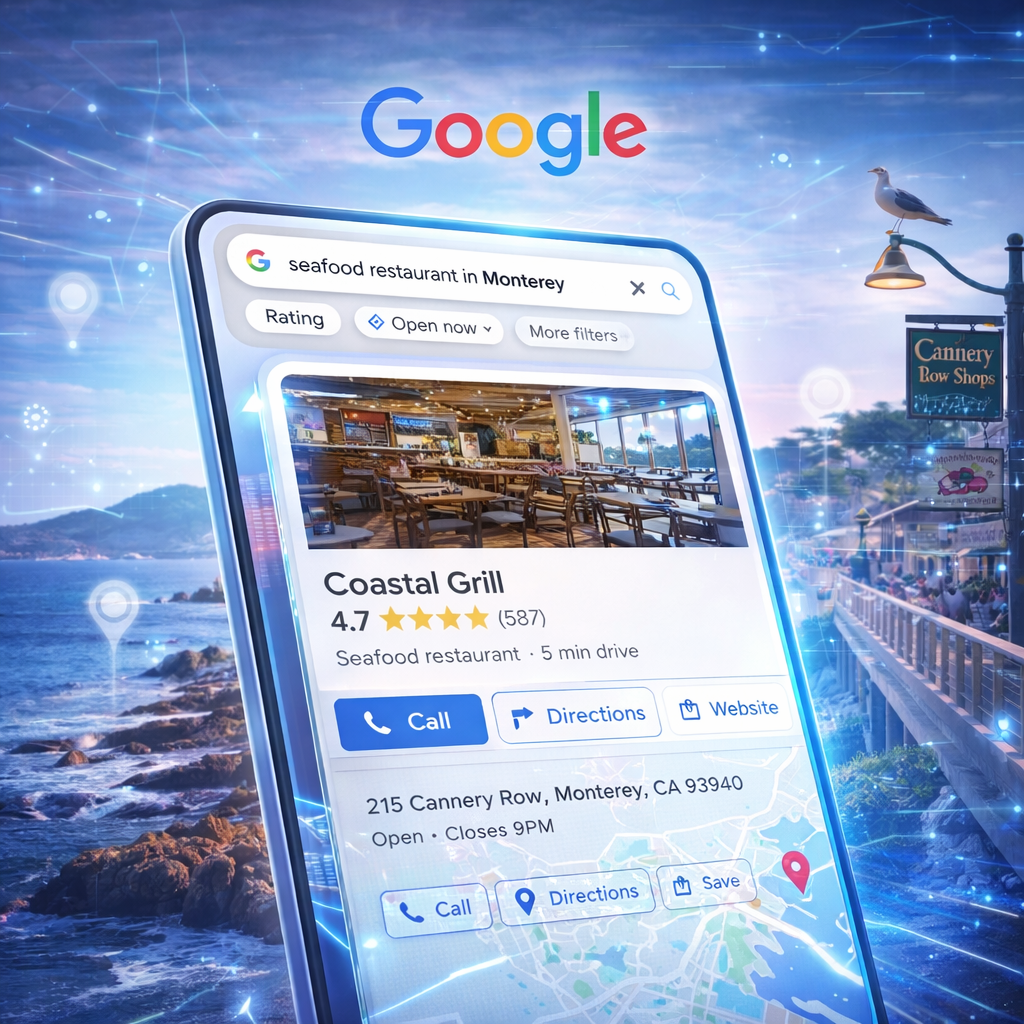
Your Google Business Profile (GBP) is a free listing that controls how your business appears in Google Search and Google Maps. When someone nearby searches for your type of service, Google shows a map with three businesses at the top — this is called the Local 3-Pack.
Appearing in the Local 3-Pack puts your business in front of high-intent customers at the exact moment they’re ready to hire someone. Most people never scroll past these three results.
For local service businesses — plumbers, electricians, contractors, landscapers, and others — the Google Business Profile is often the single highest-impact free marketing tool available. Businesses with complete, optimized profiles consistently receive more calls, more direction requests, and more website visits than those with incomplete listings.
What a Google Business Profile Actually Does for Your Business
Your profile isn’t just a static listing — it’s an active marketing asset that drives real customer actions around the clock.
What Customers Can Do Directly From Your Profile
• Call your business with one tap on their phone
• Request directions to your location
• Visit your website to learn more
• Read reviews from past customers
• View photos of your completed work
• Ask questions about your services
Think of your profile as a mini sales page that’s available 24 hours a day — answering questions, building trust, and sending customers your way without any ongoing cost.
How Google Tracks Profile Performance
Google provides built-in performance data for every business profile, showing you exactly how customers are finding and interacting with your listing. You can see how many people called your business, requested directions, or visited your website directly from your profile — and which search terms they used to find you.
This data is genuinely useful. A Monterey contractor, for example, might discover that 35 people called their business directly from Google in a single week — leads that required no ad spend and no extra effort.
Why Photos Dramatically Increase Calls and Leads
Photos are one of the most underused features of a Google Business Profile — and one of the most impactful. Customers want to see your work before they call you. A profile with strong, real photos builds instant credibility that a text description alone cannot.
What to Upload
• Before-and-after photos of completed projects
• Your team at work on a local job
• Work vehicles with your branding
• Your office or storefront if applicable
• Completed projects in recognizable Monterey locations
The key is consistency. Adding photos regularly — even just a few per month — signals to Google that your business is active, which supports your visibility in local search results.
Example: A landscaping company in Monterey that uploads photos of a completed backyard project in Carmel immediately becomes more relatable and credible to homeowners in that area who are considering a similar job.
Google Reviews: The Fastest Way to Build Trust and Win More Business
Reviews are one of the most powerful factors influencing whether a potential customer contacts you or moves on to the next listing. When people search on Google, they’re making a quick judgment — and a strong review profile can be the deciding factor.
Why Reviews Matter Beyond Just Trust
• Reviews directly influence your ranking in Google Maps results
• More recent reviews signal to Google that your business is active
• A high volume of reviews builds credibility that newer or quieter competitors can’t match
Example: A Monterey plumber with 85 reviews at 4.8 stars will almost always outperform a competitor with 10 reviews at 5.0 stars — because review volume and recency both factor into rankings and customer confidence.
A Simple System for Getting More Reviews
• Ask every satisfied customer directly, right after you complete the job
• Follow up with a text or email containing a direct link to your review page
• Make it as easy as possible — one link, no login required
• Respond to every review you receive, both positive and negative
How to Handle Negative Reviews
Negative reviews happen to every business. How you respond matters more than the review itself. Always respond calmly and professionally — thank the customer for their feedback, acknowledge the concern, and briefly explain what you’ve done or will do to address it.
A thoughtful response to a negative review actually builds trust with future customers, because it shows you take your work seriously and treat people with respect. Never argue or dismiss a reviewer publicly — even if the review seems unfair.
Google Posts: How to Stay Visible Between Jobs
Most businesses never use Google Posts — which means it’s a straightforward way to stand out from local competitors who are doing nothing with their profile.
Google Posts allow you to publish short updates directly on your profile, visible to anyone who finds your listing in search or Maps. You can create a post in minutes from your Google Business Profile dashboard.
What to Post
• Seasonal promotions or limited-time offers
• Completed project highlights with photos
• Business updates (new hours, new services, certifications)
• Local event sponsorships or community involvement
• Educational tips relevant to your industry
Posting once or twice per week keeps your profile active, which Google rewards with slightly better visibility. It also gives potential customers a reason to engage with your listing beyond just reading your reviews.
Example: A Monterey roofing contractor could post “Storm season is approaching — schedule your roof inspection before the rain arrives” and reach homeowners who are already thinking about exactly that.
Using Business Attributes to Stand Out in Local Search
Google allows businesses to add attributes — short descriptors that tell both Google and customers specific things about your business.
These help Google match your listing to more specific searches, and they help customers quickly identify whether your business is the right fit.
Examples of Useful Attributes
• Veteran-owned or family-owned
• Women-led business
• Emergency services available
• Free estimates or online quotes
• Bilingual service
In a community like Monterey, where customers often want to support local, independent businesses, attributes like “family-owned” or “veteran-owned” can be genuine differentiators. But the primary value is SEO — attributes expand the range of searches your profile can appear in, including searches that include terms like “emergency” or “free estimate.”
How to Optimize Your Google Business Profile: A Step-by-Step Checklist
Here’s a practical checklist you can work through to make sure your profile is set up to generate leads.
Step 1: Complete Every Section of Your Profile
Fill in every field Google provides — business name, address, phone number, website, hours of operation, and a detailed business description. Incomplete profiles rank lower and give customers less reason to trust you. If any information is outdated, update it immediately.
Step 2: Choose the Most Accurate Business Category
Your primary category has a significant impact on which searches you appear in. Choose the most specific, accurate category available — for example, “Roofing Contractor” rather than just “Contractor.” You can also add secondary categories for additional services you offer.
Step 3: Add High-Quality Photos Consistently
Upload at least 10–15 photos when you first set up your profile, then add new photos regularly. Aim for real job photos over stock images. Photos of your actual work in and around Monterey are far more compelling to local customers than generic imagery.
Step 4: Collect and Respond to Reviews
Build a simple system for requesting reviews after every completed job. Respond to every review within a day or two — both to show Google your profile is active and to show potential customers you’re engaged and professional. See the review section above for guidance on handling negative feedback.
Step 5: Publish Weekly Google Posts
Use the Posts feature to publish at least one update per week. This keeps your profile active in Google’s eyes and gives potential customers fresh content to engage with. Even a short post with a photo takes only a few minutes to create.
Step 6: Use the Q&A Feature Proactively
Google allows customers to ask questions directly on your business profile — and other users can answer them. Get ahead of this by adding your own questions and answers covering the most common things customers ask: pricing ranges, service areas, emergency availability, and so on. This saves customers time and positions your business as helpful and transparent.
Step 7: Monitor Your Profile’s Performance Data
Check your profile’s performance data at least once a month. Look at how many people called, requested directions, or visited your website. Track which search terms are bringing people to your profile. Use this information to refine your categories, update your description, or focus your posts on the services getting the most attention.
What Optimization Looks Like in Practice: Monterey HVAC Case Study
Here’s a realistic picture of what consistent Google Business Profile optimization can achieve for a Monterey service business.
Starting point:
• Incomplete profile with basic information only
• 8 Google reviews
• No photos
• No posts, no attributes, no Q&A
• Approximately 5 calls per month from Google
After 90 days of optimization:
• Added 50+ real job photos
• Collected 40 new reviews through a consistent follow-up system
• Published weekly posts highlighting completed jobs and seasonal tips
• Updated categories and added relevant attributes
• Pre-populated the Q&A section with common customer questions
Results:
Within a few months, this business went from roughly 5 calls per month to over 50 — a 10x increase — with significantly higher visibility in Google Maps across the Monterey Peninsula. None of this required paid advertising.
This kind of result is not unusual. For most local service businesses, the Google Business Profile is the fastest, highest-ROI improvement they can make to their online presence.
How Your Google Business Profile Fits Into Your Broader Digital Strategy
Your Google Business Profile doesn’t work in isolation — it works best when it’s part of a connected digital presence.
A strong profile will drive people to your website. If your website isn’t built to convert those visitors into calls and leads, you’re leaving business on the table. Professional website design that is fast, mobile-friendly, and built for local search ensures that the traffic your profile sends you actually turns into customers.
Your profile also plays a role in your broader local SEO performance. Businesses with optimized profiles, consistent reviews, and accurate information across the web rank higher in Google Maps and in organic search results. Investing in local SEO services amplifies everything your profile is already doing.
And for businesses that need leads immediately — before organic rankings have had time to build — Google Ads and Local Service Ads can run alongside your profile to fill the gap while your long-term visibility grows.
Frequently Asked Questions
What is a Google Business Profile?
A Google Business Profile is a free listing that controls how your business appears in Google Search and Google Maps. It includes your business name, address, phone number, hours, photos, and reviews. When someone searches for your type of service nearby, your profile is what Google shows them in the local results.
Is Google Business Profile really free?
Yes — creating and maintaining a Google Business Profile is completely free. There are no paid tiers or hidden fees for the core features, including posts, photos, reviews, and performance data. Businesses that choose to run Google Ads or Local Service Ads pay for those separately, but the profile itself costs nothing.
How do I get more calls from Google Maps?
The most effective steps are: complete every section of your profile, add real photos of your work, build a consistent stream of fresh reviews, post weekly updates, and make sure your website is fast and mobile-friendly. Businesses that do all of these consistently outperform those that set up a profile and leave it alone.
How should I respond to a negative Google review?
Respond calmly, professionally, and promptly. Thank the customer for their feedback, acknowledge the issue briefly, and explain what you did or will do to address it. Never argue, dismiss the reviewer, or get defensive — even if the review seems unfair. Future customers read both the review and your response, and a thoughtful reply can actually improve your reputation.
How often should I update my Google Business Profile?
At a minimum, post new updates once per week and add new photos at least a couple of times per month. Respond to reviews within one to two days of receiving them. The more consistently active your profile is, the better Google treats it in local rankings.
Does my Google Business Profile affect my SEO?
Yes, significantly. Your profile directly influences where you appear in Google Maps results and the Local 3-Pack. It also contributes to your overall local SEO — a well-optimized profile with strong reviews and consistent NAP (Name, Address, Phone) information helps your website rank higher in organic search results too.
Conclusion
Your Google Business Profile is one of the most powerful and cost-effective tools available to a local business. When it’s complete, active, and consistently optimized, it puts your business in front of high-intent customers at the exact moment they’re ready to hire — at no cost per click.
The businesses consistently appearing at the top of Google Maps in Monterey aren’t there by accident. They’ve invested time in building a profile that Google trusts and customers choose. The good news is that most of your local competitors haven’t done this — which means the opportunity is real.
Start with the basics: complete your profile, add photos, and build a review system. Then layer in posts, attributes, and Q&A content over time. Each improvement compounds, and the results tend to grow steadily month over month.
Want to Know What’s Missing From Your Google Business Profile?
Most Monterey businesses have gaps in their profile they don’t know about — missing categories, incomplete sections, or photos that aren’t helping them rank.
Oceanfront SEO offers a free Google Business Profile audit for Monterey businesses. We’ll review your profile, identify what’s holding your rankings back, and show you exactly what to fix to start getting more calls from Google Maps.
Contact Oceanfront SEO today to request your free profile audit — no obligation, just a clear picture of where you stand and what your next steps should be.